> For the complete documentation index, see [llms.txt](https://docs.enate.net/whats-new/llms.txt). Markdown versions of documentation pages are available by appending `.md` to page URLs; this page is available as [Markdown](https://docs.enate.net/whats-new/older-versions/changes-overview-older-versions/2023.4-changes-overview/new-feature-original-requester-contact-tag.md).
# New Feature: Original Requester Contact Tag
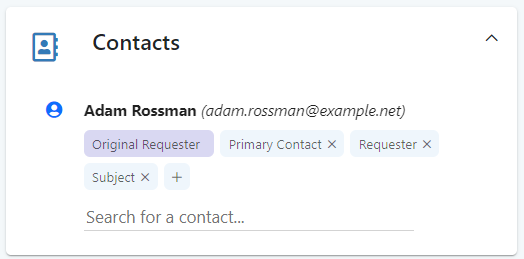
A new feature has been added in the Contacts section of your Work Items, allowing users to see who initially raised a request and ensuring that the Original Requester information is never lost.
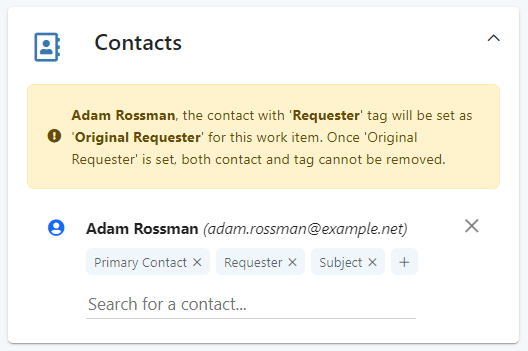
The relevant contact for this can be set independently of the standard 'requester' contact tag for a Work Item. The original requester will be either automatically set in the situation where a valid contact sent in the email that started the work item, or the first person who gets manually set as the ‘requester’ will be promoted to ‘original requester’.
The original requester's name and email address will be permanently shown on the contacts card and cannot be changed once it has been set and you cannot remove the contact tagged as the original requester from the work item. Users can still change or remove other tags like subject, requestor, primary contact, etc.
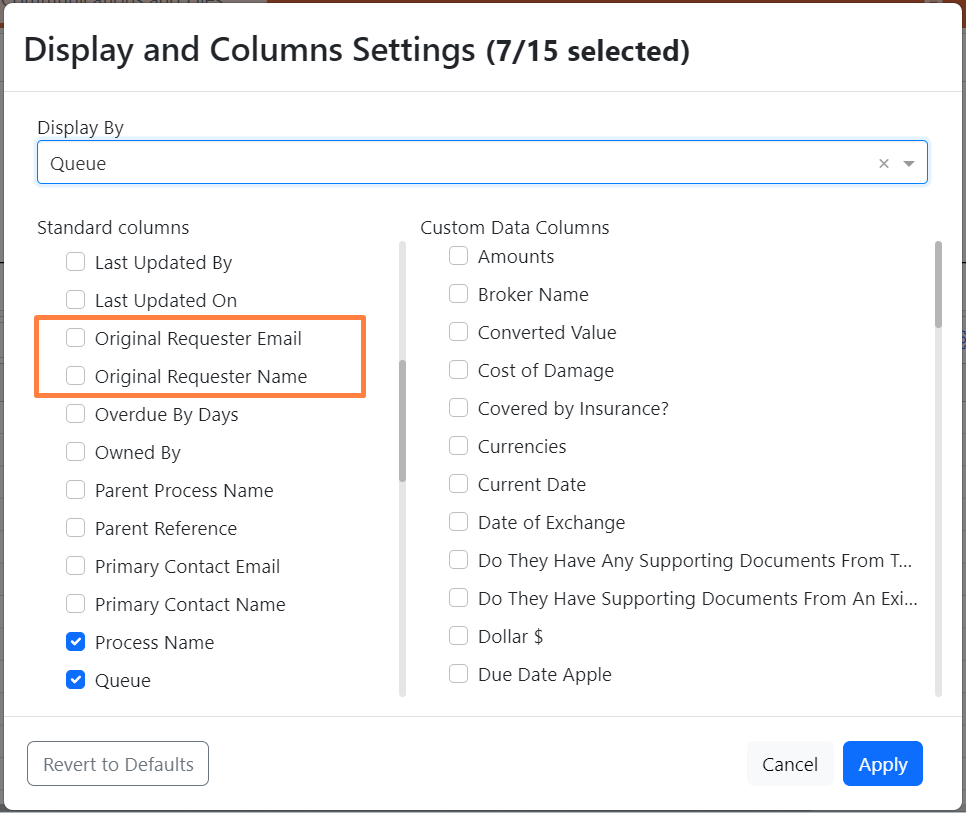
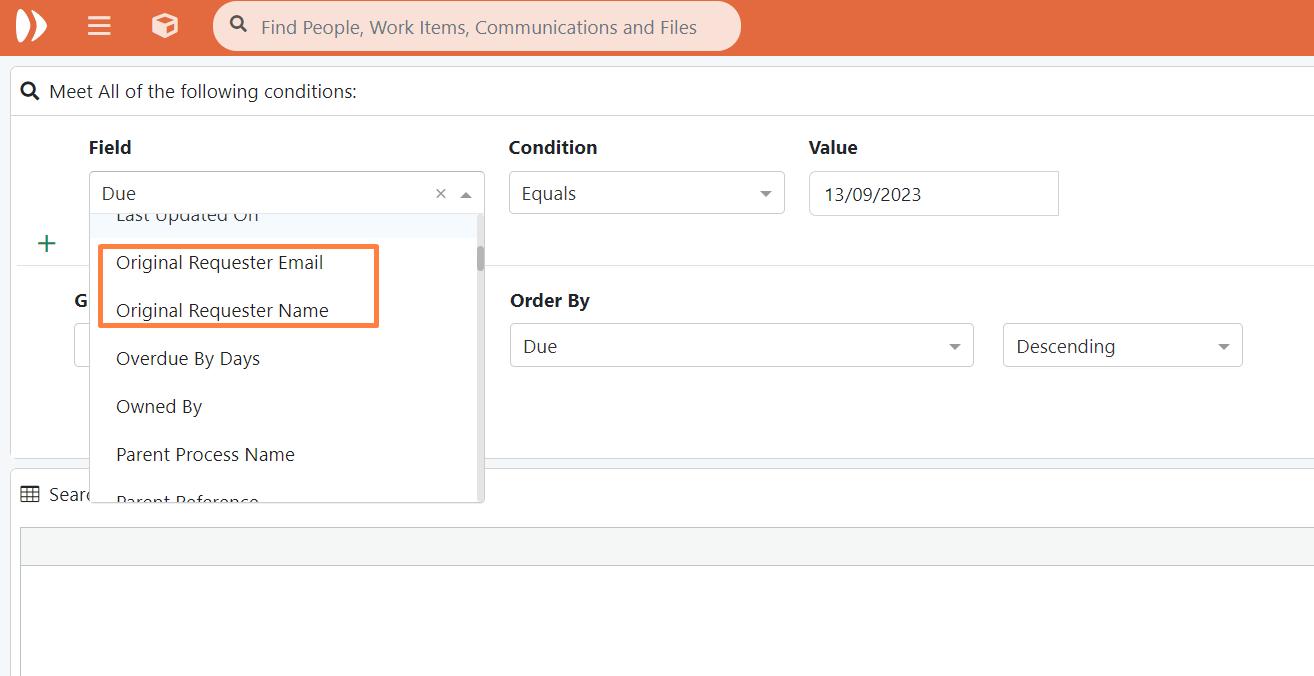
In line with this, we have also added two new column options to the homepage grids and search fields to the advanced search page:
* 'Original Requester Email'
* 'Original Requester Name'.
### Further Home Page / Search Grid Columns added - Contact Emails
To keep everything standard, we have also added three further column options to the homepage grids and search fields in the advanced search page:
* 'Primary Contact Email'
* 'Subject Email'
* 'Requester Email'
These are in addition to the existing 'Primary Contact' which has been renamed to 'Primary Contact Name', 'Requester' which has been renamed to 'Requester Name' and 'Subject' which has been renamed to 'Subject Name'.
{% hint style="info" %}
Please note that the new 'original requester' contact tag will only be applied for work items created after moving to version 2023.4 of Enate or above or for work items created before moving to 2023.4 whose contacts or contact tags get changed after upgrade to 2023.4 or above.
An original requester will not display for work items created before moving to version 2023.4, unless there is an update to its contacts or contact tags after upgrade, in which case it will be mandatory to have an original requester. This will most likely be the ‘requester’ who gets promoted to ‘original requester’.
{% endhint %}
---
# Agent Instructions
This documentation is published with GitBook. GitBook is the documentation platform designed so that both humans and AI agents can read, navigate, and reason over technical content effectively. Learn more at gitbook.com.
## Querying This Documentation
If you need additional information that is not directly available in this page, you can query the documentation dynamically by asking a question.
Perform an HTTP GET request on the current page URL with the `ask` query parameter, and the optional `goal` query parameter:
```
GET https://docs.enate.net/whats-new/older-versions/changes-overview-older-versions/2023.4-changes-overview/new-feature-original-requester-contact-tag.md?ask=&goal=
```
`ask` is the immediate question: it should be specific, self-contained, and written in natural language.
`goal` is optional and describes the broader end goal you are ultimately trying to accomplish on behalf of the user. GitBook uses it to tailor the answer towards what is most useful for that goal.
The response will contain a direct answer to the question and relevant excerpts and sources from the documentation.
Use this mechanism when the answer is not explicitly present in the current page, you need clarification or additional context, or you want to retrieve related documentation sections.