Enate Builder Certification & Accreditation
Enate's Builder Certification program gives organisations a structured way to develop and validate the Builder configuration skills their teams need to get the most out of an Enate implementation. This article explains how the program is structured, what each level qualifies someone to do, and the practicalities of working through the learning path.
Training courses are made available in Enate Academy, Enate's online training platform.
Overview
There are four levels of Enate Builder accreditation. They are designed to reflect genuinely different levels of capability and responsibility within an Enate implementation program, not just increasing familiarity with the platform.
Level
Name
How it is achieved
L1
Foundation Builder
Online training courses via Enate Academy
L2
Advanced Builder
Online training courses + assessed Build Challenge via Enate Academy
L3*
Solution Specialist
Post-academy, on-the-job assessment. Long term, for select few.
L4*
Solution Architect
Post-academy, on-the-job assessment. Long Term, for select few.
The key distinction to understand is this:
L1 and L2 are structured, course-based accreditations that any nominated trainee can work through via Enate Academy.
L3 and L4 are not courses - they are on-the-job accreditations that reflect a person's demonstrated capability across real Enate implementation projects, assessed over time in collaboration with Enate Professional Services. These are described briefly at the end of this article.
An additional key point: only a very small number of people at a client should expect to be put forward for the Solution Specialist and Architect roles that make up Levels 3 and 4. By far the majority of people will focus on L1 and L2 certification. Future certifications will become available for this majority trainee base to become accredited for as additional courses come online over time, e.g. Reports specialist, Integration specialist.

Level 1 β Foundation Builder Certification
What does L1 qualify someone to do?
An L1 Foundation Builder is qualified to use Enate Builder to create and maintain standard Ticket and Case processes, configure the supporting setup around them (users, permissions, email mailboxes), and operate confidently within Work Manager as both a team member and team leader. L1 is the essential foundation for anyone who will be involved in building or maintaining an Enate instance.
The L1 Foundation Builder Learning Path
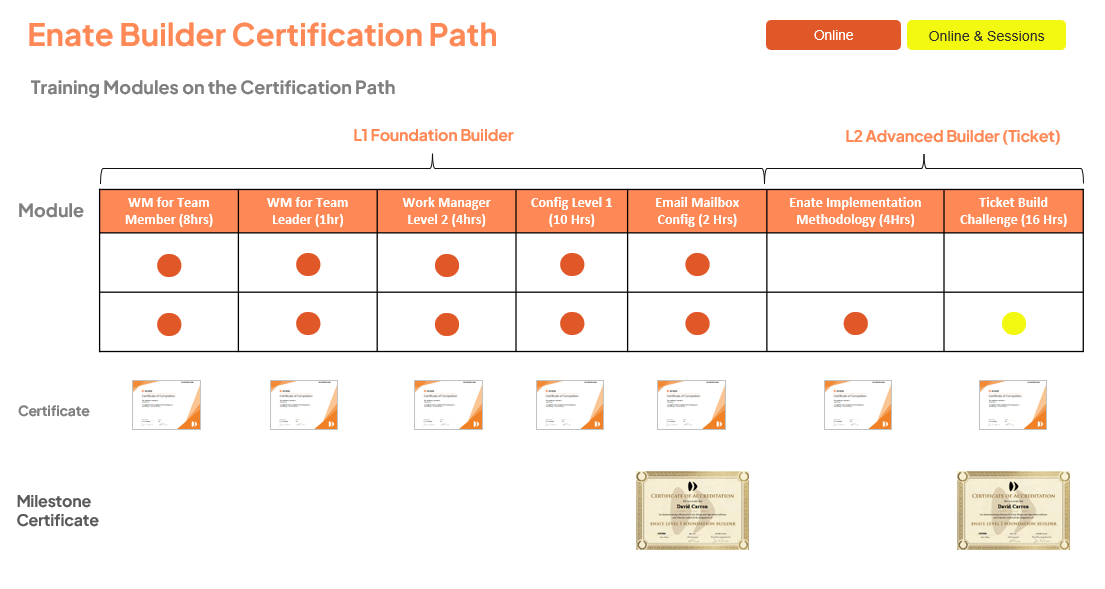
The L1 Foundation Builder certification program consists of five courses, which must be completed in order. Each course is a prerequisite for the next.
Course
Duration
What it covers
Work Manager for Team Members
8 hrs
Operations features within Work Manager β managing Tickets, Cases & Actions
Work Manager for Team Leaders
1 hr
Team Leader-specific activities β building teams, reassigning work
Level 1 Enate Configuration
10 hrs
Core principles of Enate Builder β creating and maintaining Ticket & Case processes, users, permissions, custom fields
Work Manager Level 2
4 hrs
Wider Work Manager feature set, building familiarity ahead of later User Guidelines creation
Email Mailbox Configuration
2 hrs
Connecting mailboxes to consume inbound email and create Work Items; outbound email setup
Total estimated duration: approximately 25 hours of online learning.
How are the Courses delivered?
All five courses are delivered online and self-paced via Enate Academy. Each course includes explainer videos, exercises carried out in a dedicated Enate training sandbox, in-course tests, and an end-of-course online exam with minimum pass marks.
Course Content Breakdown
Course - Work Manager for Team Members
Section
Description
Your Home Page
Familiarising yourself with your homepage and what you can see from it
Using Quickfind
Using Quickfind to find people, work items & communications
Handle Ticket β Resolve
Familiarising with Ticket features and how to use them to resolve a query
Handle Ticket β Place on Wait
Pausing work
Merging Tickets
How and when to combine work items
Splitting Tickets
Splitting out Tickets where multiple separate requests are to be managed independently
Making a Case from a Ticket
When and how to promote a Ticket to a Case running in a predefined process
Creating Cases
How to create Cases; familiarising with Case features
Processing an Action
Processing an Action and familiarising with Action features
Manually Starting Actions
Starting ad-hoc activity rather than as part of the standard workflow
When you can't resolve an Action
Options available for dealing with cases where an Action cannot be resolved
The different states of a Case
The various states which Cases, Actions & Tickets can be in
Course - Work Manager for Team Leaders
Section
Description
Setting up your Teams & Queues
How to build out the team of people who work in your team, and the work Queues you manage
Home Page for Team Leaders
Familiarisation with the Team Leader Home Page β reassigning work between team members
Course - Level 1 Enate Configuration
Section
Description
Builder
Introduction to Enate Builder β the environment for creating Ticket & Case processes and all supporting setup
Create a Service Instance
The Service Matrix screen and creating Service Instances for customers
Tickets, Cases & Actions
Overview of Ticket, Case & Action Work Items in Enate
Users & Permissions
User setup, User Groups & Permissions; creating User Accounts
Setting up Ticketing
Creating a Ticket process in Builder; adding Ticket Categories; Cloning; Queues and Allocation
Configuring Cases
Case & Action configuration overview; creating a Case; Due Dates, Allocations & General Settings
Configuring Checklists
Setting up Checklists on Actions in a Case process
Customers, Contracts & Services
The Customer/Contract/Service hierarchy structure in Builder
Build a new Case Type
Creating new types of Case and Action in Builder
Custom Data & Custom Cards
Creating custom data fields; creating Custom Cards and linking them to data fields
Case Conditions
Adding Conditions and conditional flows to support multiple routes through a process
Course - Work Manager Level 2
This course expands on the foundational Work Manager knowledge, covering a wider feature set that will be particularly useful later when creating User Guidelines documentation during a Build phase.
Using the Email Screens
Using the dedicated Email Screens: Inbox, Outbox, Sent Items
Dealing with Unhandled Emails
Dealing With Unhandled Emails and Adding Routing Rules to deal with the situation in future.
Creating Work Items from Existing Emails
Creating Work Items From Existing Emails
Time Tracker Entries
Time Tracking on Work Items - options for viewing and editing.
Using Advanced Search
Using Advanced Search for flexible ad-hoc reporting, and exporting results into Excel
Focus List
Using the Focus List to create e.g. To-Do lists and track specific work items.
User Settings
Understanding the various settings available for users in Work Manager
Notifications Settings
How to set up Notifications: ways of being notified, and which events to be notified about.
Course - Email Mailbox Configuration
Section
Description
Creating an Email Connector
Email Connector overview; creating a new connector for handling inbound emails
Outbound Email Setup
Enabling outbound email for agents to send mail from Enate
Email Templates
Creating standard repeatable emails for manual and in-process automatic sending
Canned Response Configuration
Creating standard text content for use by agents when composing emails
Course Certification and Milestone (L1) Certification
Courses
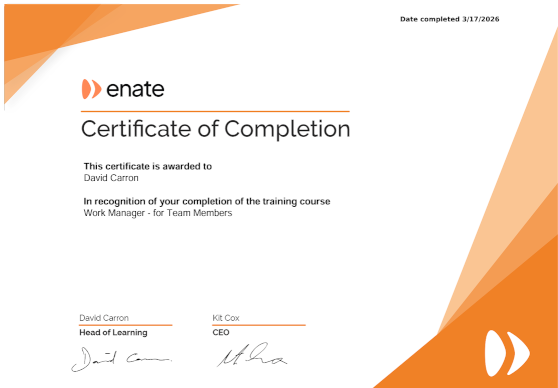
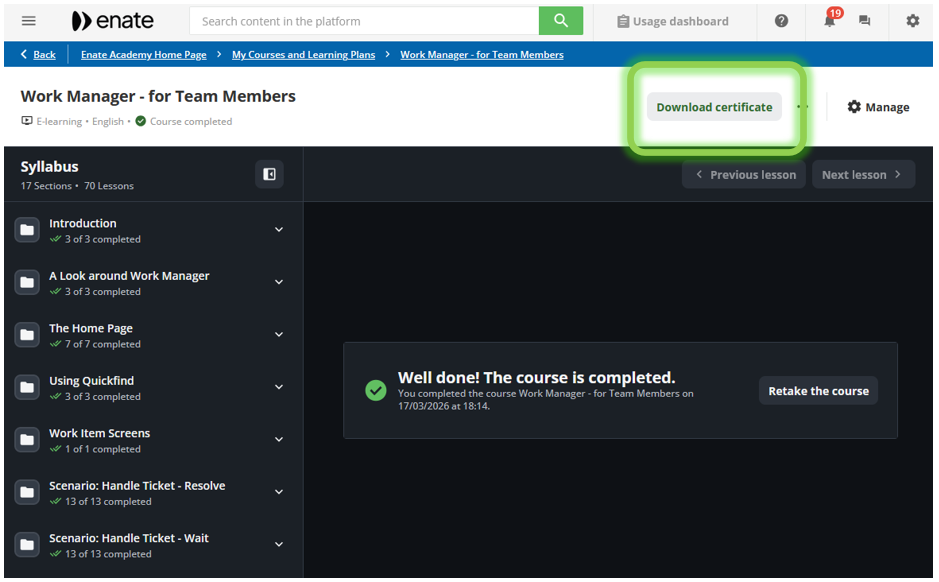
On successful completion a course, a course certificate is automatically generated and a download link is emailed directly to the trainee.

The certificate is also permanently available on Enate Academy any time the trainee accesses their completed course.

Milestones (e.g. on completion of all L1 Courses)
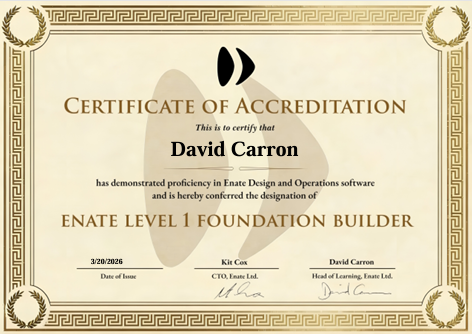
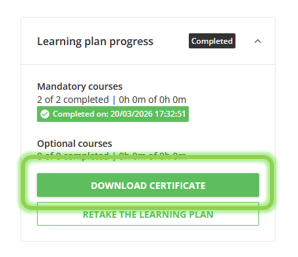
On successful completion of all five of these courses, an L1 Foundation Builder certificate - a more formal document suitable for sharing or retaining as a professional credential - is automatically generated and a download link is emailed directly to the trainee.

The certificate is also permanently available within the trainee's learning plan on Enate Academy, and from within each individual course. Individual course completion certificates are issued at the end of each course.

L2 - Advanced Builder Certification (Ticket)
What does L2 - Advanced Builder qualify someone to do?
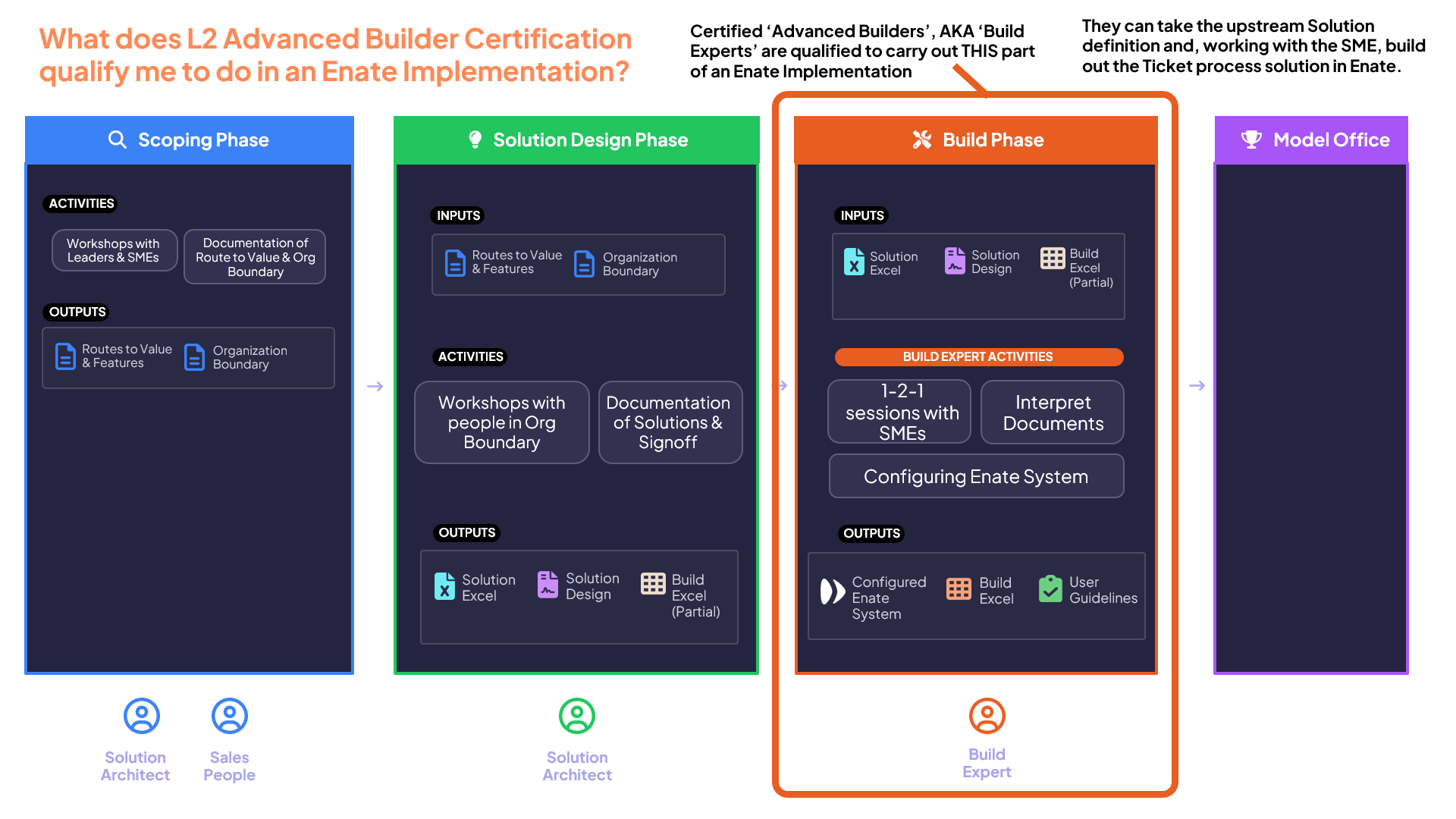
An L2 Advanced Builder (also referred to as a Build Expert) is qualified to take the outputs of a Solution Design phase and, working directly with Subject Matter Experts (SMEs), build out a complete Ticket process solution in Enate. This is the core hands-on role in the Build phase of an Enate implementation.
Specifically, an L2 Advanced Builder certified individual is qualified to:
Interpret the Solution Design Documents and Solution Methodology Excel produced during Solution Design workshops
Conduct structured 1-to-1 sessions with SMEs to gather the detailed process information needed to complete the build
Configure the Ticket process solution in Enate Builder
Produce User Guidelines documentation to support adoption
L2 certification is the point at which a person becomes genuinely capable of leading Build phase activity independently for a Ticket-based process.

The L2 Advanced Builder Learning Path
The L2 learning path builds directly on L1. All five L1 courses are prerequisites, and must be completed before starting the L2 modules. L2 adds two further courses, again taken in sequence.
Course
Duration
What it covers
Enate Implementation Methodology
4 hrs
How to interpret Design workshop outputs; working with SMEs to build Ticket solutions; understanding the relationship between implementation goals and specific Enate features
Ticket Build Challenge
16 hrs
Individual assessed design challenge: create a Ticket solution in Enate and present it to an Enate expert
Total additional duration for L2: approximately 20 hours.
Enate Implementation Methodology β Course Detail
This course take trainees beyond understanding the features of Enate's configuration into learning about how to use them as part of an Enate Implementation. It explains:
Enate's Implementation Methodology,
How to read and interpret the documents produced during the upstream Solution Design workshops, and
How to work with SMEs using to gather the information needed to build a Ticket process in Enate Builder.
It also covers the relationship between the goals defined early in a project ('Routes to Value' vs Enate features) and the specific Enate configuration those goals require β giving Build Experts the context to make sound decisions during the build.
This is effectively a warmup course arming trainees with the knowledge they will need to use in the subsequent Ticket Build Challenge activity.
Here is a quick example of one of the explainer videos in the course:
Next: The Ticket Build Challenge
The Ticket Build Challenge is the assessed component of the L2 Advanced Builder program. It is structured as follows:
1. Group Online Explainer Session β organised by the client's training department in conjunction with Enate's training and Professional Services teams, delivered either face-to-face or via Microsoft Teams. This session explains the challenge brief and sets expectations for what trainees need to produce.
2. Individual Build Work β each trainee works independently to design and configure their Ticket solution in Enate, using their own sandbox environment. This is offline work, completed in the trainee's own time.
3. Submission β once complete, the trainee submits their work directly within the Ticket Build Challenge course on Enate Academy. This submission also acts as the trigger for an Enate expert assessor to arrange an online assessment session.
4. 1-to-1 Online Assessment Session β a Microsoft Teams session with an Enate expert, in which the trainee presents and walks through the solution they have built. The assessor evaluates the quality of the build against defined criteria.
5. Outcome β trainees who pass are awarded L2 certification. Those who do not pass first time receive structured feedback and guidance, and may resubmit for reassessment.
L2 Advanced Builder Certification
On successful completion of the Ticket Build Challenge assessment, an L2 Advanced Builder certificate is automatically generated and a download link is emailed to the trainee. As with L1, this certificate is permanently accessible within the trainee's Enate Academy account.
The L2 milestone certificate is a more formal credential than the individual course certificates, and reflects assessed capability rather than just course completion.
Post Training: L3 & L4 - Solution Specialist & Solution Architect
L3 and L4 are not training courses, and they are not delivered through Enate Academy.
These levels represent a qualitatively different kind of capability - one that involves running Solution Design workshops, managing stakeholder relationships, scoping implementations, and exercising significant professional judgement across complex programmes. These skills develop through practical experience on real implementation projects, not through online learning, and they are not straightforwardly assessable through a course or exam.
The accreditation process for L3 and L4 works as follows:
β’ The client organisation proposes individuals they believe have demonstrated the capability to qualify for the next level of accreditation.
β’ Enate Professional Services carries out ongoing assessment, which involves reviewing the individual's actual work to date and presentation sessions with an Enate expert.
β’ Accreditation reflects genuine, demonstrated capability in leading or assisting Solution Design workshops and implementation programmes β earned progressively across a person's first few Enate implementations, working with increasing levels of independence.
Progression from L2 to L3 and beyond is a journey that happens over time, alongside real project work, in close collaboration with Enate experts.
How Enate Academy Training is Tracked and Managed
Progress Reporting for Training Coordinators
Enate Academy is Enate's Learning Management System. Once an organisation's trainees are set up in cohorts on the platform (this is done by Enate), client training managers and training coordinators can be given manager-level access to Enate Academy. This allows them to:
β’ Log in directly to Enate Academy and view their cohort's progress at any time
β’ Run their own progress and completion reports
β’ Monitor which courses have been started, completed, and assessed
Access setup is handled by Enate's Learning team when onboarding a new client cohort. Contact [email protected] to arrange this.
Notifications and Enrolments
Enate Academy handles course enrolment notifications automatically.
Enate provides trainees with their platform login details.
Clients' training coordinators and their organisation's internal L&D function can manage their own program communications and scheduling as they see fit, involving Enate Learning team as necessary.
Capability Summary by Role
The table below shows which courses are required for each defined capability level within an Enate implementation programme.
Role
WM Team Member
WM Team Leader
WM Level 2
Config L1
Email Config
Impl. Methodology
Build Challenge
Agent / Team Leader
β
β
Super User
β
β
β
Foundation Builder (L1)
β
β
β
β
β
Advanced Builder (L2)
β
β
β
β
β
β
β
Note: The subsequent L3 and L4 certifications additionally require the post-academy, on-the-job assessments described in the sections above.
Prerequisites Summary
All courses within the L1 and L2 paths must be completed in sequence. There is no option to skip ahead. The full sequential order is:
Work Manager for Team Members
Work Manager for Team Leaders
Level 1 Enate Configuration
Work Manager Level 2
Email Mailbox Configuration - L1 Foundation Builder Certificate awarded
Enate Implementation Methodology
Ticket Build Challenge - L2 Advanced Builder (Ticket) Certificate awarded
Getting Started
To enrol a cohort of trainees in the L1 or L2 programme, or to find out more about access and reporting for training coordinators, contact Enate's Learning team at [email protected].
The Enate Academy platform is available at www.enate.academy.
Last updated
Was this helpful?